 Case Watch
Your USCIS case status, kept on your phone.
Case Watch opens the official USCIS website and fills in your receipt number. You tap Check Status, and Case Watch saves the result on your device. No account, and nothing is sent to us.
Join the TestFlight betaFree for iPhone and iPad with iOS 17 or later.
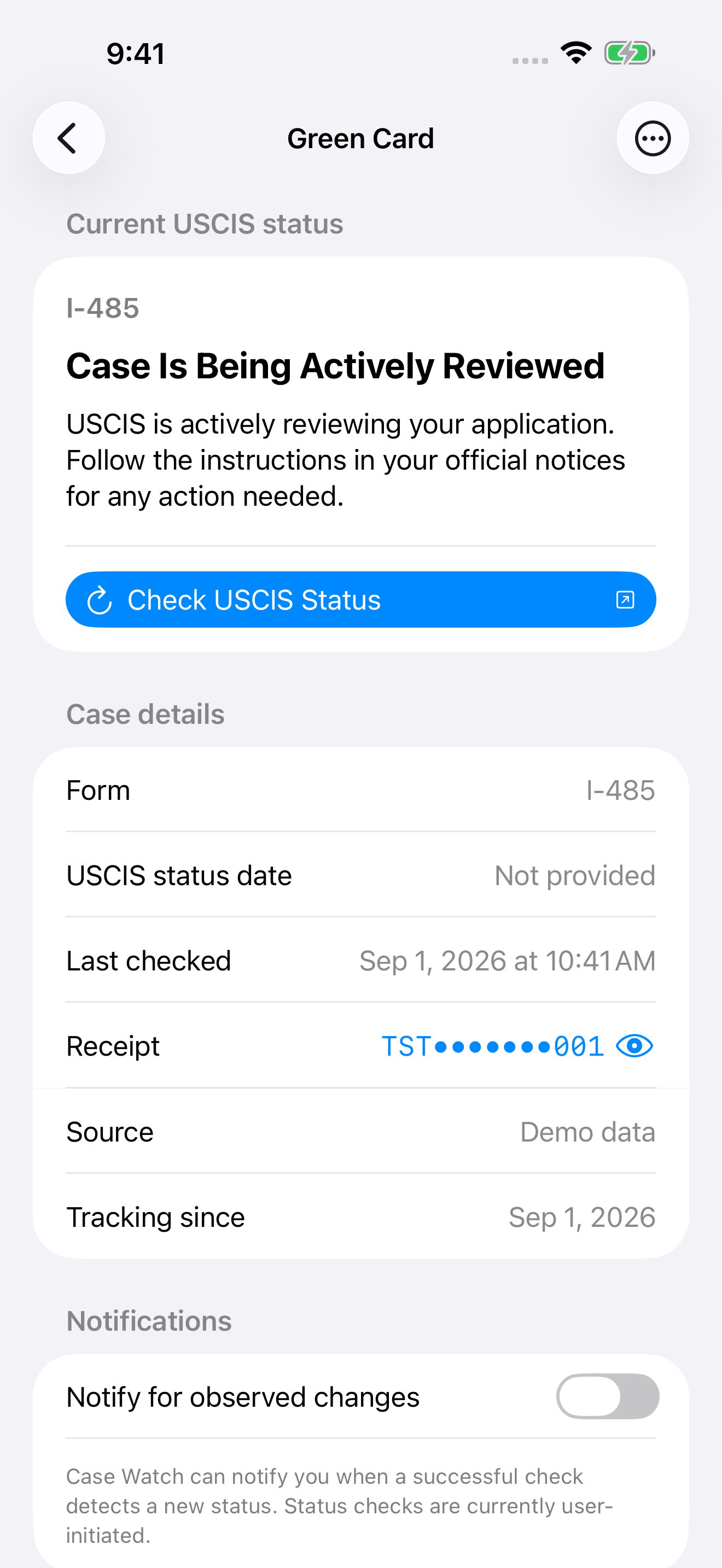
A sample case, as Case Watch keeps it
Case Is Being Actively Reviewed
Previously observed: Case Was Received
This is how Case Watch keeps a case: the status USCIS showed you, when you checked, and the changes it noticed on this device. It is not a complete USCIS history, and a failed or cancelled check never replaces a saved status.
How a check works
Add your receipt
Enter the 13-character receipt number from your USCIS notice and an optional nickname.
Pass the USCIS security check
The official USCIS page opens inside Case Watch. If USCIS asks you to verify, do it there. Case Watch then fills in your receipt.
Tap Check Status
Case Watch confirms the result belongs to your receipt, saves it, and tells you whether anything changed.
Your case stays on your device.
- No Case Watch account and no Case Watch server.
- No ads, analytics, or tracking.
- Checks happen only when you start them. Case Watch never checks in the background and sends no notifications.
- Your receipt goes only to the USCIS website, when you check.